Walk
Move between the shoreline, the PRESS, and the blue SHOP pad.
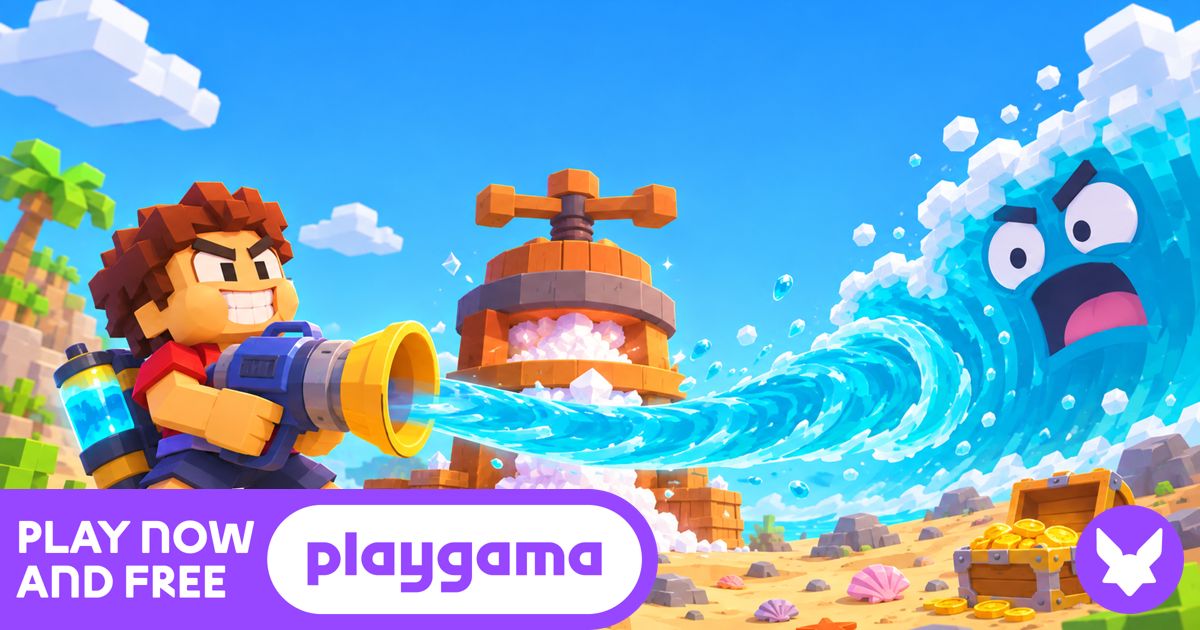
After Play Now, choose Let’s Play if prompted. On desktop, click into the game to look around and press Tab to free the mouse. On a phone, hold DRINK. Open the original game page.
Controls checked against the linked game sources.
Move between the shoreline, the PRESS, and the blue SHOP pad.
Aim at the water. Press Tab when you want to use the mouse outside the game.
Click to use your straw. On touch devices, hold the on-screen DRINK button.
Switch between tools as you unlock them.
Pick another browser game. Each page includes a player, controls, and links to the creator.
 POPULAR
Click the cookie, buy your first Cursor, and build up cookies per second.
 NEW
Grow crops, cook recipes, arrange farms, assign workers, and build toward prestige in pollikk_studios’ free incremental farming demo.
 NEW
Play workout, rest, and supplement cards to build muscle, manage fatigue, and reach competition goals in Greg Austin’s bodybuilding deckbuilder.
Drink the Ocean is a free first-person incremental browser game by Pinidi Studio. You start on a blocky shore with a straw, drink seawater, convert it into salt, and spend the salt on better equipment. Your goal is to lower the waterline far enough to reach the plug at the bottom. Playgama lists the game as a November 2026 release and supplies the player on this page.
The display tracks three different things. The liter meter tells you how much water you are carrying. The salt counter shows what you can spend after using the press. The Ocean Drunk percentage tells you how much of the current ocean you have cleared. Pressing water raises your spending balance, while drinking is what advances the ocean percentage. Watch the meter that matches what you are trying to do next.
Press Play Now to load the Playgama player. If it shows a Let’s Play button, use it to enter the game. On a computer, click into the scene, walk to the water with WASD, and aim down toward the surface. Left-click to sip through the starting straw. The liter meter grows with successful sips, and the task panel tells you when it is time to fill your belly or move to the next tutorial step.
Once you are full, follow the PRESS marker and walk underneath the machine. The press turns the water you are carrying into salt and frees up room for another round of drinking. Look for the blue SHOP pad when you want to spend that salt. After you buy an upgrade, head back to the shore and repeat the water, press, and shop loop as the ocean pulls away from the beach.
If the straw seems to do nothing, aim the crosshair at the water and walk closer to its edge. The opening tutorial asks you to fill the starting belly to 10 liters. Use that first load to learn the route back to the press while the shoreline is still close. As the water recedes, approach the new shoreline before taking another sip.
Use your first few trips to find what slows you down. A bigger belly raises your water capacity, so it helps when you fill up quickly and spend most of your time walking back to the press. Extra straws improve your drinking equipment, which matters when the trip is short and drawing water takes up more of your time. Check the shop for the current price before choosing between them.
Playgama also lists a mouth vacuum and a pocket whirlpool among the tools you can unlock. Use the number keys to select an available tool and check the icons along the bottom of the screen to see what you can use. The Sky Duck offers separate bonuses. If a gift prompt appears on desktop, use E to open it and read what it does before continuing the next trip.
The falling waterline gradually exposes areas that started below the surface. Playgama lists a shipwreck, a whale skeleton, and a sunken city among the things you can reveal. Use the depth display as a progress reference and look around when a new section of ocean floor is uncovered. The changing terrain can give you a different place to stand and aim at the remaining water.
The plug is the objective at the bottom of the ocean. Once you have drained enough water to reach it, pulling it opens a new run. The listed ocean variants include cola, lemonade, slime, and lava. Those variants come after the first drain, so a new player can focus on the first ocean and its upgrade loop before looking for the later choices.
On desktop, move with WASD, look with the mouse, and jump with Space. Press Tab to release the pointer if you need to scroll back to the guide or use the page’s fullscreen control. Click inside the game when you want to resume. The game also lists T for returning home and P for opening settings. If key presses scroll the page, click the game once so it can receive the controls.
Playgama lists browser support on computers, Android, and iOS. The game uses a landscape view, so turning a phone sideways gives the scene and its on-screen controls more room. Hold DRINK to sip on a touch device. If you are still seeing the platform’s cover screen, finish the Playgama startup step before looking for the drinking button.
Players who enjoy the upgrade loop can try Cookie Clicker 3 from the related games list. Its goal is to buy producers and raise cookies per second, so it suits players who want progression with simpler controls. Marketfield builds progression around crops, recipes, and workers. Drink the Ocean adds a first-person route between the water, the press, and the shop, and your purchases help reveal more of the map.
Yes. You can play the Playgama browser version free from the player on this page. Playgama may show a short ad before the game starts.
Drink seawater with your straw and walk beneath the PRESS. It converts the water you are carrying into salt, which you can spend at the blue SHOP pad.
Try belly capacity if you fill up quickly and make frequent trips to the press. Consider an extra straw if drinking takes up most of your time.
You can pull the plug at the bottom and start a new ocean. Playgama lists cola, lemonade, slime, and lava among the variants.
Yes. Playgama lists Android and iOS browser support. Turn your phone sideways and hold the on-screen DRINK button to sip.
Pinidi Studio developed the game. Playgama provides the browser edition embedded on this page and lists its release as November 2026.
Game information and controls checked on November 18, 2026. This is an independent game page.
Pinidi Studio developed Drink the Ocean. Playgama supplies the browser player and cover artwork. The player may show an ad before the game starts.