Switch the active leg
Use the same input to alternate legs and move forward.

Click inside the player, then use Space or left click to switch legs and keep the walker upright. Open the original game page.
Controls checked against the linked game sources.
Use the same input to alternate legs and move forward.
Watch the body settle before starting the next step.
See how far you can travel before a fall ends the run.
Pick another browser game. Each page includes a player, controls, and links to the creator.
 POPULAR
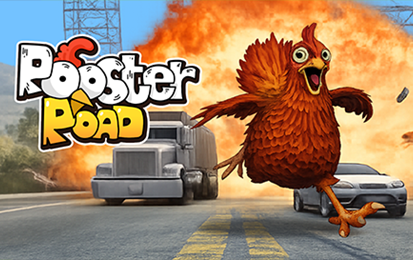
Hold to run forward and release to avoid traffic as you race across busy roads.
 POPULAR
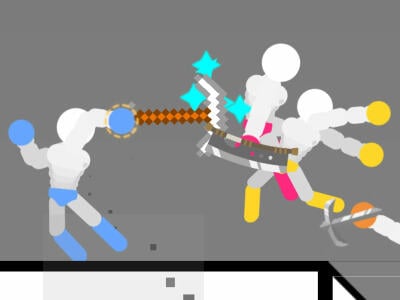
Move a stickman with WASD in single player, or try two-player and survival in the Gameflare build.
 POPULAR
Time jumps through spikes and portals in this rhythm platformer.
Long Leg Master is a browser physics game about walking on two awkwardly long legs. The goal is to travel as far as you can while keeping the body upright. Each input switches the leg you control. When the walker leans too far and falls, the attempt ends. The 1Games listing credits AZGames and describes presents along the route that can contain coins for costumes.
The short control list leaves room for a surprisingly tricky decision. You can start another step as soon as the last one moves the body forward, but momentum can carry the body farther than you expected. Look at the position of both legs before acting. When they are already stretched apart, a more careful step can make it easier to recover your balance.
Press Play Now and let the game load. Click inside the player if the Space bar scrolls the webpage. Use Space or the left mouse button to switch the active leg. Try one input at a time and watch which leg moves. Repeat with the same key or button to switch back. The game does not require separate left and right movement keys for each leg.
Start with a few short steps. The aim in your first attempt is to see how the walker moves when a foot comes down. Watch the angle of the body at the end of the step. If it is already tipping forward, pressing repeatedly can make the situation harder to recover from. Learn what a stable stance looks like before you try to pick up speed.
Use the walker’s posture as a timing cue. Look at how far the active leg extends and where the other foot rests. If the body starts to drift beyond those points, use a smaller correction on the next step. The 1Games guide also points to the character’s eyes as a visual cue. It is easier to read these details when you keep the player large enough to see both legs.
A steady walking rhythm helps on flat stretches, but the same timing may be awkward on uneven ground. Watch the place where the next foot will land. If the ground rises or dips, allow for the way the body moves after contact. Use the early stretch of a new run to practice smaller movements before you reach a difficult section.
A fall ends the current attempt and resets its distance. Before you try again, notice what happened on the last two steps. You might have started the next movement while the body was still leaning, or stretched one leg much farther than the other. Try changing just one of those inputs during the next run so you can see whether it helps.
Distance is an easy way to compare runs, but an early stretch can be useful on its own. Try reaching the same point twice without needing a big recovery. When that feels repeatable, use the next stretch to work on a different part of your timing. This lets you improve the moves that caused a fall even if you do not immediately beat your longest run.
The publisher’s listing describes presents containing coins and a set of costumes that coins can unlock. Watch for presents as you walk, and consider whether you can reach one without stretching the next step too far. If a pickup is awkward to approach, staying upright gives you a better chance to travel farther on that run.
Open the costume selection in the game to see the choices and prices in the current browser edition. The listed rewards are cosmetic. Use the same approach to balancing the walker when trying a different look. The main improvement comes from understanding the next step, so practice on a familiar stretch if the change makes the body harder to read at first.
The 1Games page lists browser support on desktop, tablet, and mobile. On a desktop, choose either the keyboard or mouse and stick with it while you learn the walking rhythm. If the page responds to Space instead of the walker, click inside the game again. Give the hosted player time to finish loading before testing the input.
If you want another game about timing a simple input, try Rooster Road. Long Leg Master asks you to read the position of the feet and body. Rooster Road asks you to read the gap between vehicles and decide how long to hold. Both make each attempt easy to understand after you see where it ended.
Yes. Press Play Now to start the hosted browser game.
Use Space or the left mouse button to alternate the active leg and advance.
The run ends when the walker loses balance and falls. The next attempt starts with a new distance.
The 1Games listing describes coins in presents and costumes you can unlock with them.
The 1Games listing credits AZGames.
Game information and controls checked on November 10, 2026. This is an independent game page.
1Games hosts this browser player and credits AZGames as the developer.