Wiki · Automation systems
Scritchy Scratchy gadgets guide
Gadgets are where Scritchy Scratchy changes from manual scratch cards into workflow design. Each tool fixes a different bottleneck: scratch speed, movement, stability, claiming, refills, tempo, or late-run odds.
Gadget index
Choose a gadget to explore
Choose one focused guide below when you want the role of a single gadget, rather than the whole automation chain. Each page explains what the tool changes, when it is useful, and what to check before adding it to a running setup.
Quick answer: what every Scritchy Scratchy gadget does
Scritchy Scratchy gadgets do not all provide the same kind of automation. Scratch Bot scratches a ticket placed in it. Fan moves tickets toward the bot, while Sticky Mat gives you a place where Fan cannot move them. Mundo claims completed tickets when you press the cat, and Autobuyer repeatedly purchases a selected ticket. Spellbook instantly scratches a ticket, Egg Timer speeds every gadget except the Machine, and the Machine belongs to the late Final Chance route.
For a first practical Scritchy Scratchy automation route, start with Scratch Bot, add Fan only when ticket placement is slowing the bot, then use Sticky Mat to protect tickets you do not want moved. Add Mundo and Autobuyer after the ticket itself is safe and affordable to repeat. Egg Timer improves a working setup; it does not replace a missing step.
That order is route advice rather than an official tier list. The individual functions below are based on the official Steam description and a launch discussion in which the developer answered a player asking for the missing gadget descriptions.
What official Scritchy Scratchy sources confirm
The official Steam page describes Scratch Bot as a mechanical helper that scratches tickets and reveals their rewards. The developer's launch reply then explains all eight Scritchy Scratchy gadgets listed in this guide. It also answers an important exception: when Mundo encounters a Super Jackpot ticket, the developer says it places that ticket on Sticky Mat for the player to scratch.
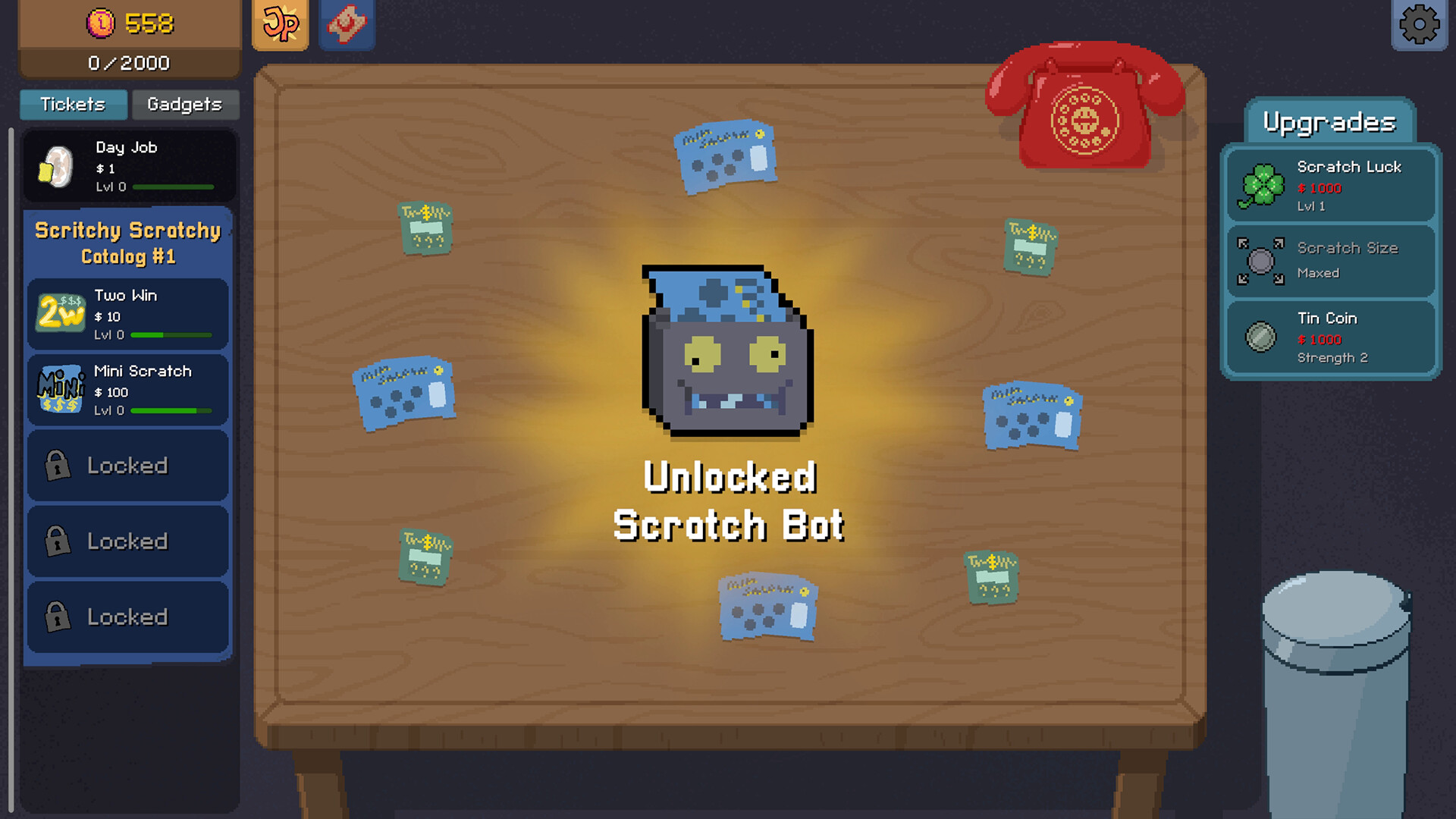
The official Scritchy Scratchy screenshot below comes from the Steam listing and shows the Scratch Bot unlock in the full game interface. Use it as an interface reference; prices, levels, and unlock timing should always be read from the build you are playing.
How Scratch Bot works in Scritchy Scratchy
Scratch Bot is the starting point for Scritchy Scratchy automation. Put a ticket into the bot and it scratches that ticket automatically. This removes repeated mouse movement, but it does not move the ticket into position, claim the completed result, choose what to buy next, or protect your balance from an expensive losing route.
Unlock it when manual scratching is the slowest part of a ticket loop you already understand. Before feeding a stack, confirm that you can afford several copies and know what a bad result does. A bot can repeat a sound decision faster, but it can also repeat an unstable decision faster. If the balance falls while the bot works, fix the ticket choice before purchasing more automation.
How Fan and Sticky Mat work in Scritchy Scratchy
Fan solves a different Scritchy Scratchy problem. Pressing or holding it blows tickets toward Scratch Bot. Add Fan when the bot is ready but spends too much time waiting for you to place the next card. It is a transport control, not an additional scratcher, and it does not make the selected ticket more profitable.
Sticky Mat creates an area where tickets are unaffected by Fan. Use it to separate tickets that need manual attention, preserve a card you do not want entering the bot, or keep the table manageable while Fan is active. That relationship is easier to remember than treating Sticky Mat as a generic speed upgrade: Fan moves; Sticky Mat protects selected tickets from that movement.
Test this pair with one inexpensive ticket before filling the table. If cards do not reach Scratch Bot, adjust the movement step. If cards you wanted to inspect are being carried away, move them to Sticky Mat. Adding more speed while the path is wrong only makes the mistake occur more often.
How Mundo and Autobuyer work in Scritchy Scratchy
Mundo handles completed results. According to the developer, pressing the cat automatically claims tickets for you. That detail matters: Mundo reduces claim work, but the description does not mean that it silently makes every decision without player input. Watch one cycle before assuming the entire table is unattended.
Super Jackpot tickets receive special handling. The developer says Mundo places them on Sticky Mat for you to scratch. This protects a valuable event from disappearing into the normal automated flow and gives you a clear reason to keep the mat accessible instead of covering it with ordinary cards.
Autobuyer handles the opposite end of the Scritchy Scratchy loop: you select a ticket, and it buys that ticket automatically. Use it only after the ticket route survives repeated losses. If purchases consume money faster than completed tickets rebuild it, pause the buyer and return to a cheaper known card. Autobuyer removes refill clicks; it does not judge risk or maintain a reserve for you.
Spellbook and Egg Timer in Scritchy Scratchy
Spellbook instantly auto-scratches a ticket, and the developer specifically confirms that it works with Super Jackpot tickets. Treat that as a deliberate action for a ticket you have already selected, not as a substitute for understanding the card. Instant completion is most valuable when the ticket itself is worth resolving immediately.
Egg Timer speeds every gadget except the Machine. It is therefore a multiplier for a functioning Scritchy Scratchy setup. Buy or activate it after you have watched the normal-speed loop and confirmed that movement, scratching, claims, and purchases occur in the intended order. If one role is missing, faster gadgets simply reach that same gap sooner.
The Machine in Scritchy Scratchy
The Machine should not be grouped with early convenience gadgets. The developer describes upgrading it to improve the chance of scratching Final Chance while receiving a money boost in the meantime. That places it in the late progression route, after the ordinary ticket economy and automation stack already make sense.
Do not buy it expecting Egg Timer to speed it up; the stated Egg Timer exception is explicit. If you have not reached the Final Chance decision yet, concentrate on the tools that shorten your current ticket loop. The separate Final Chance guide explains that spoiler-heavy system without turning this gadget page into an endgame walkthrough.
A practical Scritchy Scratchy gadget setup order
Build the Scritchy Scratchy chain one handoff at a time. This order keeps the cause of a stall visible and prevents automatic purchasing from hiding a weak ticket route.
- Stabilize one ticket first. Keep enough cash to buy several copies and recover from an ordinary loss.
- Add Scratch Bot. Confirm it can scratch the chosen ticket without making the balance trend downward.
- Add Fan only for movement. If ticket placement is already easy, another economic upgrade may have better value.
- Reserve Sticky Mat for exceptions. Protect tickets that should not enter the bot and leave room for Mundo's Super Jackpot handling.
- Use Mundo to reduce claims. Observe how ordinary wins and special tickets are handled before stepping away.
- Enable Autobuyer last. Automatic spending is safest when the completed loop already funds itself.
- Add Egg Timer for throughput. Speed up a correct setup instead of using speed to hide an incomplete one.
Troubleshooting Scritchy Scratchy gadget problems
Scritchy Scratchy gadget mistakes that make automation worse
- Automating an unknown ticket. Learn its visible rules and loss behavior before feeding a stack into Scratch Bot.
- Buying every tool at once. You cannot identify the failed step when movement, scratching, claiming, and purchasing all change together.
- Using Fan without a protected area. Keep Sticky Mat available for tickets that require inspection or manual handling.
- Letting Autobuyer spend the reserve. Automation should preserve recovery money, not force a return to Day Job.
- Treating Machine as early speed. It serves the Final Chance route and is excluded from Egg Timer's speed effect.
The best Scritchy Scratchy gadget is the one that fixes the next visible break in your loop. Build slowly enough to watch each handoff, and the table becomes easier to diagnose as well as faster to run. For the spending decisions around this setup, continue with the best upgrades guide.