Official platform guide
How to download Scritchy Scratchy or play the browser demo
This Scritchy Scratchy download guide explains which official listing to use on each platform, what the browser demo includes, and what to check before installing the full game. The safest choice is always a store page operated by Funday Games or a platform store linked from the official listing.
The short answer
Use the official itch.io page if you want to try Scritchy Scratchy in a browser. It identifies the browser build as a free demo, so it is a convenient way to learn the scratch-card loop without installing a desktop or mobile app. Use the official Steam page for the full PC release, or use the App Store and Google Play links for mobile.
The browser demo and the full Scritchy Scratchy release should not be treated as interchangeable. The demo is a first look at the loop; the complete release is the appropriate choice if you want the full progression, achievements, later systems, and a store-managed installation. Check the live listing for the current price, sale, device support, and download size because those details can change.
What the full game looks like
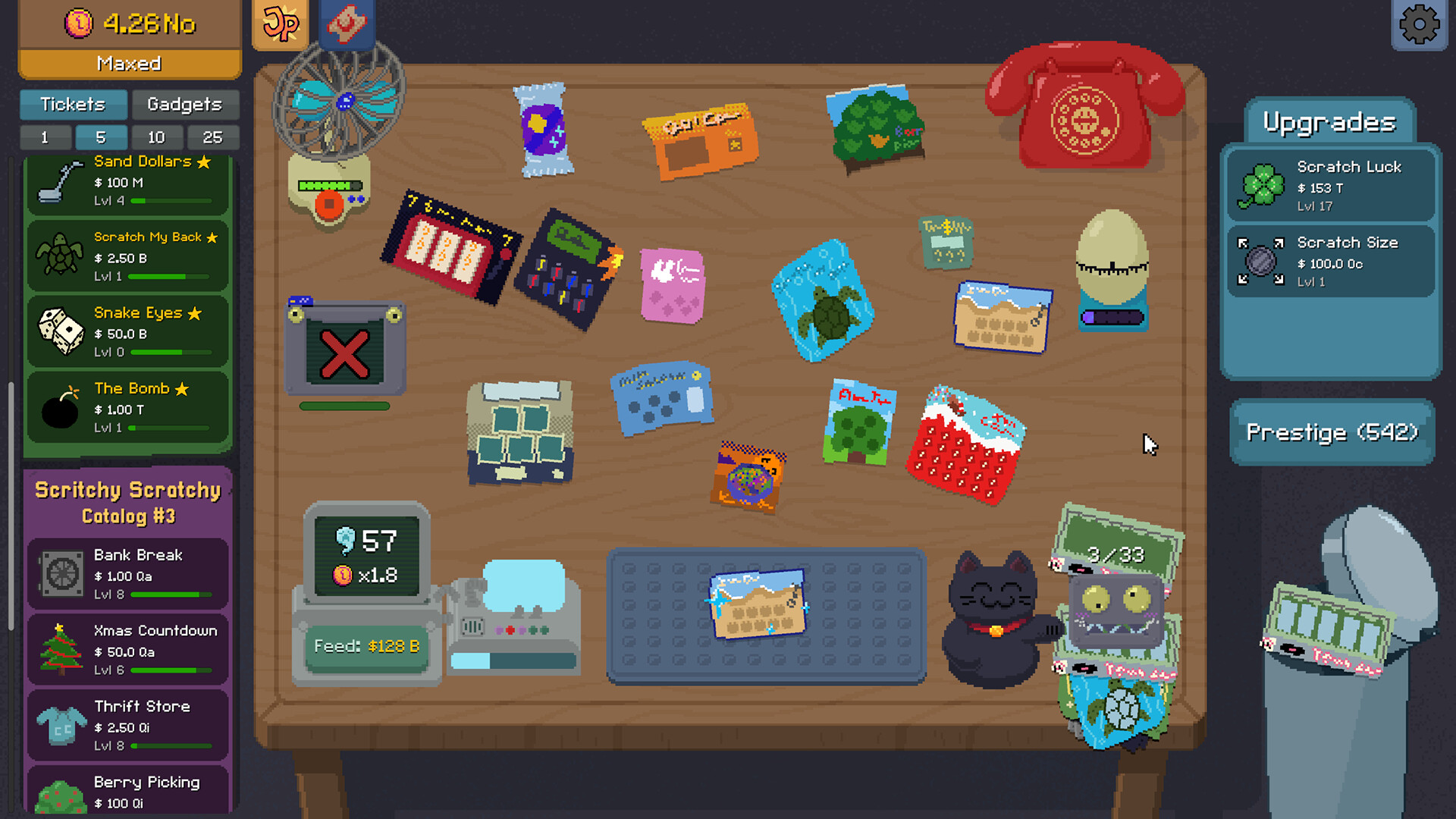
1. Play the official browser demo
The official itch.io page is the direct browser route for Scritchy Scratchy. Open it in a current desktop browser, select the web play option, and allow the game to finish loading. This is the best option when you want to test the controls, see whether the scratch surface is comfortable to use, or understand the opening rhythm before buying.
A browser demo is also useful for checking basic performance. If the canvas feels slow, the pointer does not track properly, or the browser blocks local storage, try a current Chromium-based browser or Firefox with extensions temporarily disabled. Do not download a replacement executable from a random mirror because a page claims that the demo needs one.
Remember the boundary: the official page presents browser play as a demo, not as a guarantee that every full-game ticket, gadget, achievement, ending, or save feature is available there. Use the demo to evaluate the loop, then move to an official full-game listing if you want the complete Scritchy Scratchy experience.
Open the official Scritchy Scratchy browser demo on itch.io.
2. Download Scritchy Scratchy on Steam
Steam is the clearest full-game route for PC players. The official listing includes the complete Scritchy Scratchy release and a demo, so read the button and product name carefully before installing. The same page is also the live source for the current price, sale status, system requirements, updates, reviews, and installation size.
Steam currently identifies Lunch Money Games as the developer and Funday Games as the publisher. The listing also identifies the game as single-player and advertises Steam Achievements, Steam Cloud, and Family Sharing. Those platform features make Steam a good fit if you want achievement tracking or a cloud-backed PC installation, but they do not mean that a browser-demo save automatically transfers into the full game.
Before clicking Install, compare the operating-system label with your computer and read the current requirements. If you have a limited connection, let Steam finish the download and any update before judging the game’s performance. For troubleshooting, start with the official store and support links rather than an unofficial repack.
3. Use itch.io for a desktop download
The official itch.io listing separates browser play from its downloadable full game. It is the useful desktop alternative when you prefer a direct Windows or Mac download, or when you already use itch.io for small independent games. Read the purchase and download instructions on that page because the available files and account steps belong to the live listing.
The page also links to the mobile versions and describes the mobile and PC versions as identical. That is a helpful high-level expectation, but storefront availability, input behavior, screen size, and account features can still vary by platform. Open the relevant mobile store before assuming that a desktop purchase unlocks an app on a different store.
If you choose itch.io, download only from the official Funday Games page. Keep the receipt or account access used for the purchase, and scan the downloaded file with your normal system security tools. This site does not host modified Scritchy Scratchy executables; use the official Funday Games page for the download.
4. Download the mobile versions
For iPhone or iPad, use the official Apple App Store listing. For Android, use the official Google Play listing. These are the correct routes for app installation, updates, device compatibility, payment, and uninstall or reinstall support. Search results can contain similarly named apps, so verify the developer and the store link before installing Scritchy Scratchy.
Mobile players should check the live store page for their country and device. A listing can be visible in one region and unavailable in another, and a store can change its supported operating-system range without the change appearing in an older article. The official itch.io page points to both mobile stores and states that the mobile and PC versions are identical; use the current app listing for the practical installation details.
Open the official App Store listing or open the official Google Play listing.
Which Scritchy Scratchy option should you choose?
Choose by the job you need the installation to do. The browser demo is for a quick trial. Steam is the most straightforward full PC route when achievements and Steam Cloud matter. itch.io is the direct desktop-download route. Mobile stores are the practical choice for touch play and automatic app updates.
| Route | Best for | Check before starting |
|---|---|---|
| Browser demo | Trying the basic loop without an install | Browser performance and demo limits |
| Steam | Full PC play, achievements, and Steam Cloud | System requirements and current store status |
| itch.io download | Direct Windows or Mac installation | Current files, account access, and instructions |
| App Store or Google Play | Mobile and touch-screen play | Region, device, OS version, and current app listing |
Saves, cloud features, and moving between platforms
Steam advertises Steam Cloud for the full PC release, which is useful when returning to Scritchy Scratchy on another computer signed into the same Steam account. Cloud storage is not the same as cross-store migration. Do not assume that a browser save, an itch.io download, an iOS installation, and an Android installation share one file.
If you are changing platforms, first look for an export, import, or account option in the current game and read the official support instructions. Follow the save export and import guide for a step-by-step backup workflow. Keep a backup of any text or file the game explicitly asks you to export. Never paste a save string from an untrusted guide into a live game, and do not overwrite a working save until the new installation has been tested.
This site explains gameplay and links to the official stores; it does not promise a universal Scritchy Scratchy save-transfer method. A future update can add, remove, or rename a migration option, so the current in-game menu and official support page take priority over an old tutorial.
Before you install: a five-point check
- Confirm that the address is an official store or Funday Games page.
- Confirm whether you are opening the demo or buying the full game.
- Read the current price, sale, region, device, and OS information.
- Use the live requirements and download instructions, not a copied listing.
- Keep your store account and any official save-backup instructions available.
These checks take less time than recovering from a misleading download or an overwritten save. They also keep this Scritchy Scratchy guide useful when stores update their pages.
Updates can change what you see
Scritchy Scratchy has received official updates after launch, including changes to cosmetics, settings, PC confirmation behavior, and fixes for progression-related issues. A later roadmap also describes future content. Treat the store’s current build and the official announcement feed as the authority for what is included in your installation.
That is why this download page avoids freezing a temporary price, mobile version number, sale date, or promised ending into the main instructions. If a store page and an older Scritchy Scratchy article disagree, follow the current official listing and then report the difference so the guide can be checked.
After downloading Scritchy Scratchy
Start with the beginner guide to learn the first ticket, scratch, claim, and upgrade decisions. When the opening loop is clear, use the complete route guide to connect upgrades, gadgets, Prestige, Final Chance, achievements, and Night Market cosmetics. The FAQ covers common platform, save, and version-boundary questions.