Draw
Draw your armor or projectile pixel by pixel.
Use a desktop browser with a mouse and keyboard. If the player cannot load, open the creator’s itch.io page.
Controls published by the creator.
Draw your armor or projectile pixel by pixel.
Remove parts of the design.
Move the view around the workspace.
Select part of the design, then press F to mirror it.
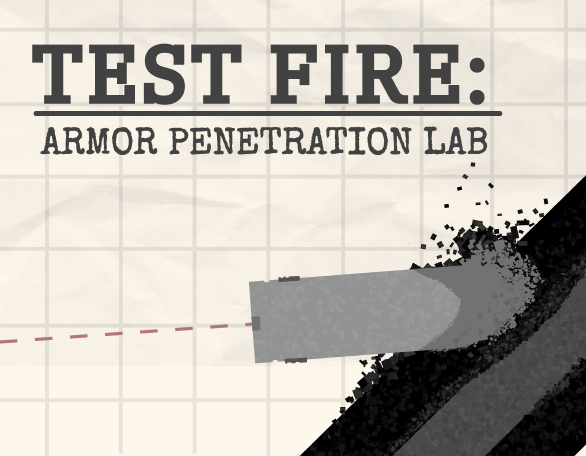
Test Fire is a physics sandbox about designing armor and projectiles, then watching what happens when they collide. You draw your own protective structure or round pixel by pixel and fire to see the result. Matthew Zhang and roastrice are credited on the creator’s itch.io page, which lists Unity as the engine and labels the project a prototype.
The central activity is experimentation: make a design, run a test, and use the visible result to decide what to change. The game lets you approach penetration from either side. You can try to stop an incoming round with armor, or build a projectile intended to break through an existing structure. Sandbox mode brings both parts together without campaign limits.
Armor Campaign asks you to build a defense that stops an incoming round while staying within cost and weight limits. Those two restrictions matter alongside the collision itself: a design needs to satisfy the scenario’s budget and weight requirements as well as protect against the shot. Check the current limits before committing to a larger structure.
Projectile Campaign reverses the problem. Instead of drawing the target, you design a custom round to penetrate armor that is already built. This gives a different purpose to the same drawing tools. Concentrate on the specific structure in front of you and observe the outcome before revising your design.
Sandbox removes those campaign restrictions and lets you test any armor against any projectile. It is the mode to choose when you want to explore the design tools or compare your own combinations. Changing one part of a design at a time is a useful way to compare outcomes; it is a suggested testing method, rather than a promised solution to a campaign challenge.
Press Play Now to load the creator’s browser build. Use the game’s own menu to select a mode, then work in its drawing area. The published controls use left click to draw, right click to erase, and the middle mouse button to pan. To mirror part of your work, make a selection and press F. Keep keyboard focus inside the player when using that shortcut.
After testing, inspect the result before editing again. The goal in an armor challenge is to stop the round within the stated limits; in a projectile challenge it is to penetrate the supplied target. Compare the visible collision with your intended outcome, then decide which part of the drawing to revise for another attempt.
The itch.io listing offers HTML5 browser play and a separate Windows download. This page opens the hosted browser player, so you can try it without installing the Windows files. The browser upload and downloadable file may be different revisions; consult the creator’s page for current files instead of assuming the download’s version number also describes this embed.
A desktop mouse is the practical choice for the documented left, right, and middle mouse actions. Touchscreen controls are not confirmed by the listing. The creator also links a Steam page and a community for sharing designs and reporting bugs, giving you a place to follow the project or discuss experiments with other players.
Yes. The creator provides a free browser build, embedded here through itch.io. Press Play Now to load it; no Windows installation is needed for this version.
Matthew Zhang and roastrice are listed as the authors. The itch.io listing identifies Unity as its engine and describes the project as a prototype.
Armor Campaign is about stopping a round within cost and weight limits. Projectile Campaign asks you to build a round that penetrates pre-built armor. Sandbox lets you test either design without those limits.
Right click erases, the middle mouse button pans, and F mirrors a selection. Left click draws. These are the controls published on the creator’s page.
Touchscreen controls are not confirmed by the source. Use a desktop browser, mouse, and keyboard for the documented control scheme.
Open the creator’s itch.io page using the link below the player and try its browser build there. That listing also provides a separate Windows download.
Game information and controls checked on October 16, 2026. This is an independent game page.