Demo, platforms, gameplay, and updates
Scritchy Scratchy FAQ
This Scritchy Scratchy FAQ answers the questions players usually have before starting or buying: what is free, where the full game is sold, how progression works, what Prestige changes, how achievements and cosmetics connect, and where to report a problem.
Is Scritchy Scratchy free to play?
The browser build is a free demo. The official itch.io page explicitly separates that demo from the purchasable full version, and Steam also offers a demo alongside the complete game. Use the demo to try the scratching and incremental loop before deciding whether to buy.
“Free demo” should not be read as “the entire Scritchy Scratchy game is free.” Longer progression, the full set of tickets, achievements, and late systems belong to the complete release. Store prices and sales can change, so this FAQ links to official listings instead of preserving a temporary promotion as permanent information.
Is the browser version the full game?
No. The official itch.io listing calls browser play the free demo. It is useful for learning how to scratch, resolve results, manage early money, and test whether the interface feels comfortable. It should not be used to assume that every full-release ticket, gadget, achievement, Prestige node, or ending is available in the browser.
This site loads the official browser build rather than recreating the game. For the complete Scritchy Scratchy release, use an official store listed on the ways to play page.
What does Scritchy Scratchy look like?
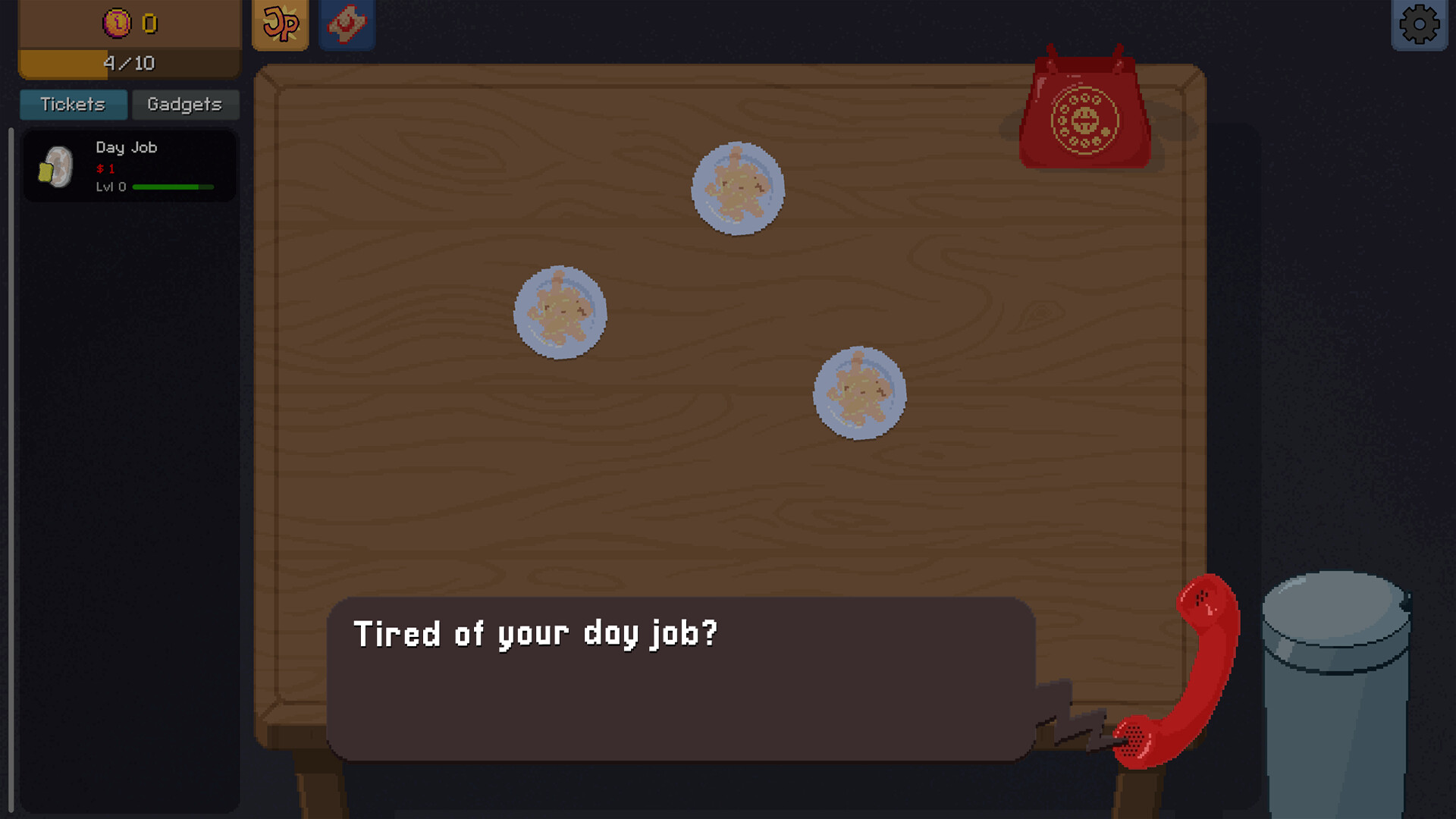
Where can I play the full version?
Official listings provide Scritchy Scratchy through Steam and itch.io for computer players, plus App Store and Google Play routes for mobile. Steam lists Windows and macOS, achievements, Steam Cloud, and Family Sharing. The itch.io page links directly to both mobile stores and says the mobile and PC versions are identical and priced similarly.
Availability can still differ by device, operating system, region, and store policy. Open the relevant official listing before purchasing; do not rely on a copied price, discount, or compatibility claim from an older Scritchy Scratchy guide.
Who made Scritchy Scratchy, and when was it released?
Steam identifies Lunch Money Games as the developer and Funday Games as the publisher. The full Steam release date is March 18, 2026. The project existed as a browser demo before launch and continues to have official browser, downloadable, and mobile listings.
Is Scritchy Scratchy real gambling?
No. Scritchy Scratchy uses scratch cards, odds, payouts, jackpots, loans, and bankruptcy as fictional game mechanics. Players manage in-game money and progression; there is no real-money betting service and no cash prize to withdraw from the game.
Buying the full game or optional cosmetic content is a normal store purchase, not a wager. The separate Supporter Pack was described by the developer as purely cosmetic and as having no effect on gameplay or balance.
How do you play Scritchy Scratchy?
Build starting money, buy an affordable ticket, reveal the required scratch area, and resolve the result. Reinvest into tickets and upgrades while keeping enough balance to recover from losses. New catalogues, gadgets, Prestige, achievements, and late-game decisions expand that basic loop.
The top prize is not the only number that matters. Read ticket cost, symbol chances, positive payouts, penalties, match rules, and scratch difficulty together. The Scritchy Scratchy beginner guide explains the full route from the first action to automation.
What is Scratch Bot?
Scratch Bot is the main auto-scratching gadget. It processes tickets for you, but it does not automatically make an expensive or losing route safe. Other gadgets help with movement, table state, result handling, refills, magic, timing, and Final Chance.
Automate only after a manual route can repeatedly afford itself. The Scritchy Scratchy gadget guide covers Scratch Bot, Fan, Sticky Mat, Mundo, Autobuyer, Spellbook, Egg Timer, and Machine.
What does Prestige do?
Prestige resets temporary run progress and awards Jack Points for permanent upgrades. The purpose is to make later runs stronger or less repetitive, not simply to erase a slow run. Before resetting, choose the permanent node you intend to buy and identify the bottleneck it should remove.
Confirmation differs by platform: official notes say PC received a confirmation pop-up, while the official mobile FAQ says to hold the button. Follow the prompt in the current build and use the Scritchy Scratchy Prestige guide for reset timing.
What is Final Chance?
Final Chance is a late-run ticket and decision point connected to the Machine, achievements, and endings. It is not an opening objective. Stabilize income first, then decide whether the run is for exploration, Prestige, an achievement, or a particular ending before accepting a claim or hand-off.
Exact ending routes can change. Patch 1.2 adds a secret catalogue that can lead to a new special ending. Use the Scritchy Scratchy Final Chance guide and the current in-game prompt rather than an old fixed sequence.
How many Scritchy Scratchy achievements are there?
Steam currently lists 38 achievements. Their public conditions cover ticket and Jackpot outcomes, repeated deaths, Day Job, gadgets, Prestige, Final Chance, speedrunning, cosmetics, challenges, and a hidden headquarters. Completion is easier when compatible conditions are grouped into focused runs.
The achievements guide includes all 38 current conditions and a checklist stored locally in your browser. Always confirm the live total on Steam after a major update.
How do achievement tokens and the Night Market work?
Official update notes say achievements earn tokens. Claim the reward through the badge collection, then spend the tokens at the Night Market to customize gadgets and workspace objects. Steam has two direct cosmetic achievements: buying and equipping one cosmetic, and buying the full collection.
Patch 1.1 added 12 Night Market cosmetics. These are appearance and completion goals rather than mechanical upgrades. The Scritchy Scratchy Night Market guide lists the additions and explains the token-claiming route.
Can Scritchy Scratchy progress be backed up or moved?
Steam lists Steam Cloud for the full PC release. An official demo update also introduced save export and import through the clipboard. Use only the save options displayed by your current build, keep a backup before replacing progress, and do not assume every old demo save will import cleanly into every later platform version.
Follow the save export and import guide for a backup checklist, a cautious import order, and the limits of cross-platform transfer claims.
What is in Patch 1.2?
Patch 1.2, the Challenge Update, launched on Steam on September 28, 2026. The Challenge menu opens after your first Prestige. Two challenges are initially available; completing them progressively unlocks all nine, each with unique rules, a dollar goal, and a reward. Completing all nine opens a secret catalogue with three tickets that can lead to a special ending. See the challenge guide for the full list. Check your platform's current build for availability.
What changed in Patch 1.1?
The official Patch 1.1 announcement added 12 Night Market cosmetics, vsync, an FPS cap, vibration settings, and a Turkish fan translation. It also replaced press-and-hold Prestige on PC with a confirmation pop-up and fixed issues involving a stuck coin and claiming Final Chance.
Patch notes describe a specific update, not a complete current manual. Later platform builds can include additional fixes, so use the official announcements page for the newest Scritchy Scratchy changes.
Why do guides avoid fixed odds and prices?
Ticket odds, prices, upgrade costs, available cosmetics, platform versions, sales, and ending routes can change. A screenshot is useful for locating an interface but should not override the values shown by the current game or store. This site uses fixed numbers only when they answer a stable condition or are clearly tied to a dated official source.
Where should I report a Scritchy Scratchy bug?
Record the platform, game version, visible state, action that failed, and whether the issue survives a restart. Avoid resetting progress as a blind fix. Send a reproducible report through the official Scritchy Scratchy support page or use the reporting option provided by the game.
Where can I find more Scritchy Scratchy help?
Use the complete guide route for a beginner-to-endgame plan, or the Scritchy Scratchy wiki for a compact reference to every major system. The official ways to play page contains direct store links without preserving temporary sale prices.