Move forward
Hold while you have a clear path across the next lane.
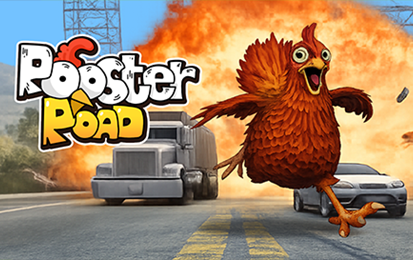
Hold the left mouse button to move forward. Release to ease off or move back, depending on your position. Open the original game page.
Controls checked against the linked game sources.
Hold while you have a clear path across the next lane.
Let go early if another vehicle is about to close the gap.
The 1Games instructions describe the same press-and-release input on touchscreens.
Pick another browser game. Each page includes a player, controls, and links to the creator.
 HOT
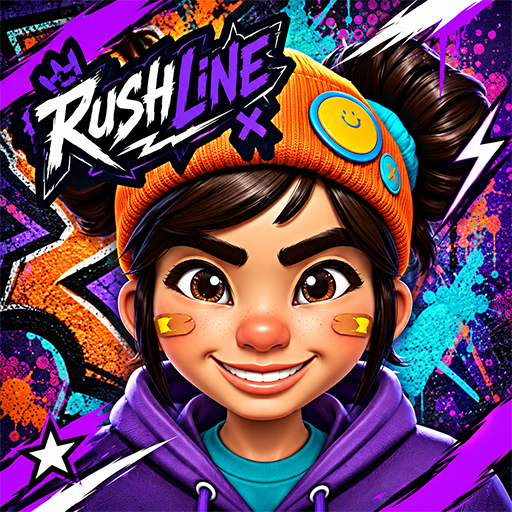
Dash through hazardous city streets, slide under barriers, leap past spikes, and evade a relentless robotic chaser in this 3D cartoon runner.
 POPULAR
Switch legs to keep a wobbly walker upright and beat your distance.
 NEW
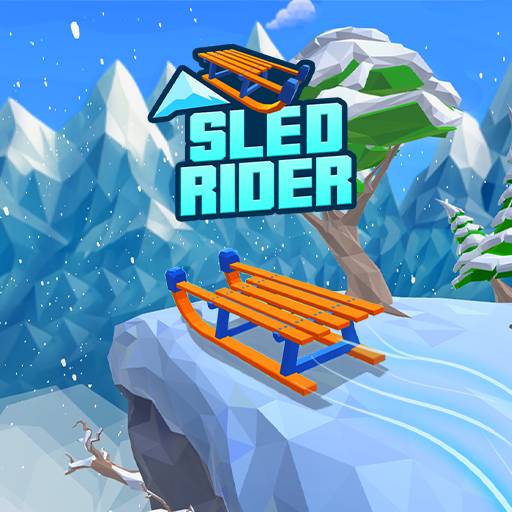
Steer and jump through snowy slopes, avoid hazards, and collect gift boxes to unlock sleds in this 3D endless runner.
Rooster Road is a browser arcade game about guiding an animal through moving traffic. Hold to run forward and let go to adjust your position before the next vehicle. Your job is to get through the lanes without being hit. The browser listing on 1Games credits AZGames and describes a survival race, while the A-Z Games guide explains how the basic hold and release controls work.
The traffic is what makes a short route difficult. A gap in the closest lane may end before you reach the lane behind it. Look beyond the first car to see where your rooster will be when the next one arrives. If you can only make it through one lane safely, use the clear space you have instead of holding down the control for the entire crossing.
Press Play Now and let the hosted player finish its first load. Hold the left mouse button to advance. The 1Games guide also describes holding the screen on touch devices. Let go to slow the advance or step back. Start by pressing and releasing once on open ground so you can see how the character responds before trying to cross a busy lane.
Use the same input for both long runs and small corrections. When a vehicle is about to reach your crossing point, release before you are in its path. If you have enough space to move safely, hold again. Releasing is part of the movement, so watch where your rooster ends up after you let go as well as where it goes when you press.
Follow the vehicles nearest the place where you plan to cross. The A-Z Games guide names cars, trucks, and buses among the hazards. A large vehicle takes up more space, so wait until its rear clears your route. Even when the lane looks open on one side, check whether another vehicle is already approaching the same point from the other side.
Think about where you can pause before taking the first step. A sidewalk or clear stretch gives you time to watch the next group of vehicles. If several lanes are open together, take the wider opening. If the next lane is closing, use a short advance to reach a safer position, then wait for another opportunity. A brief pause can save a run.
The 1Games listing describes a race in which several animals try to reach the same finish. Watch the lane itself when another runner takes off. A gap that was open when they started may already be too small by the time you enter it. Make your own decision based on your position and the nearest vehicles. The other runners can help you notice a hazard, but they cannot tell you whether you still have time to cross.
If you keep getting caught after a successful first crossing, slow down at the next safe point. Look for the same traffic cues there that helped you through the first lane. The route changes, but the decision remains the same. Compare the distance to the next clear spot with the time before an approaching vehicle reaches your path.
In the tested build, select Battle in the lobby. A match starts with a countdown, then shows Roads Crossed, Alive, and Place. Roads Crossed is the clearest number to compare between attempts. Place describes where you stand in that match, and Alive shows how many runners remain. At the end, the results show your rank and roads crossed. Use Lobby to return to the rooster selection before another attempt.
The A-Z Games guide describes speed boosts and other pickups on the road. Treat them as optional when traffic is close. Check whether you have a safe exit before moving toward one. If your pace changes after a pickup, reassess your timing as you enter the next lane. The opening that worked at your previous speed may feel different now.
A collision ends the attempt. Before you retry, recall whether you entered too early, held through a closing gap, or released after reaching the lane. Pick one of those mistakes to work on in the next run. For example, release a little earlier near the first truck and watch where you stop. Repeating the opening makes it easier to see which change helped.
The 1Games listing describes an HTML5 browser game for desktop, tablet, and mobile. The game runs in the embedded player on this page. If you use a trackpad, press and hold as you would with a mouse rather than relying on a series of taps. On a touchscreen, use a finger inside the play area so the game can see both the press and the release.
Try Rush Line if you want another arcade game with obstacles in your path. Rooster Road uses one hold-and-release input to move across traffic, while Rush Line asks you to change lanes while moving through a city. Both reward looking ahead, but the motion you need to practice is different.
Yes. Press Play Now to open the hosted game in your browser.
Hold the left mouse button or press and hold the screen. Release to ease off or move back.
A collision with traffic ends the attempt. Wait for a gap before entering the next lane.
Yes. The A-Z Games guide describes speed boosts and other pickups. Check the route before going after one.
The 1Games browser listing credits AZGames as the developer.
Game information and controls checked on November 10, 2026. This is an independent game page.
1Games hosts this browser player and credits AZGames as the developer.