Steer left
Move left to line up with a clear part of the slope.
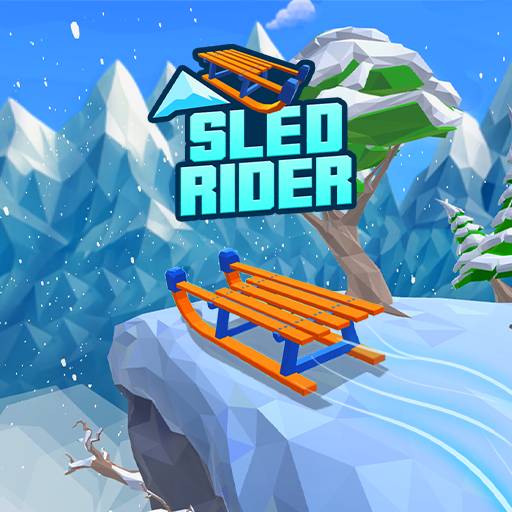
Click the player to give the game keyboard focus, then follow its start prompt. Use arrow keys or WAD to steer and jump. Open the original game page.
Controls checked against the linked game sources.
Move left to line up with a clear part of the slope.
Move right to avoid hazards or approach a reachable gift.
Jump when needed to clear hazards. Watch the landing area too.
Follow the start prompt and use the game’s own buttons for settings, missions, and sled selection.
Pick another browser game. Each page includes a player, controls, and links to the creator.
 HOT
HOTDash through hazardous city streets, slide under barriers, leap past spikes, and evade a relentless robotic chaser in this 3D cartoon runner.
 NEW
NEWChoose a starter, survive wild Pokémon hordes, and work toward evolutions and the League in this unofficial 3D fan game.
 NEW
NEWBounce, block, and score in a chaotic one-button basketball game with changing courts, players, and balls for solo or local two-player matches.
Sled Rider is a 3D endless sledding game. Your sled travels down a snowy course while you steer, jump, avoid hazards, and collect gift boxes. The objective is to keep the run going and improve your distance. There is no finish line to reach in the endless format described by the source. A collision or a fall ends the attempt and gives you a reason to try a cleaner route next time.
This page uses the AZGames runtime loaded from sledrider.io after its Play Now control is activated. The other supplied website, sledrider.online, loads a different wrapper and presents conflicting attribution and feature descriptions. The instructions here follow the selected sledrider.io build rather than combining both descriptions. The verified title screen shows the sled, gift counter, score, settings, missions, and collection controls.
Press Play Now above, wait for the game files to load, and follow the title screen’s prompt to start. The browser player runs without installing a separate application. Click inside the frame before using the keyboard. If the webpage scrolls instead of the sled responding, click the game area again to return focus to the player.
The sled moves forward automatically. Use left and right inputs to choose a line, then jump when the route requires it. The source lists arrow keys or WAD for those actions. Because forward travel continues while you decide, looking ahead matters as much as the immediate key press. A useful first goal is to learn how far a small steering input moves the sled before chasing a personal distance record.
Left arrow or A steers left, right arrow or D steers right, and up arrow or W jumps. Those commands form the basic control set. The source explains that speed increases as a run continues and does not provide a braking action. Plan around the pace the game gives you rather than looking for a key that will stop the descent.
A suggested approach is to use modest corrections near obstacles and watch where a jump will finish. Clearing one object is only helpful when the landing line remains safe. Avoid treating jumping as a universal solution: read the terrain and leave room for the next move. These are practical habits for the verified steering-and-jumping loop, not a guaranteed sequence through a generated course.
The selected source describes trees, rocks, snowmen, cliffs, snowballs, ice hazards, and pits along the snowy route. Some problems concern the objects in front of you, while others concern the ground you are approaching. Watch both. A gap in the trees may look inviting until you notice that the slope beyond it is unsafe.
Before starting a second attempt, choose one simple aim: an earlier turn, a safer landing, or fewer gift detours. Comparing that aim with the next result makes the retry informative. A longer distance is useful feedback, but recognizing why an attempt ended also helps you make a better decision on the next slope.
The source recommends keeping your attention ahead of the sled and avoiding large last-second turns. Try to identify an open line early, make the correction, and look toward the next stretch. When a run ends, remember whether the problem was late recognition, an unnecessary gift detour, or a jump into a bad landing. That gives your next attempt one specific thing to improve.
Gift boxes provide progression alongside the distance score. The source describes collecting enough presents to unlock different sleds through the game’s collection interface. The observed menu also displays a gift counter and a shop button. Use the price shown in the current game before choosing an unlock; this guide does not freeze a changing collection or cost table into a promise.
Daily missions are another feature described by the selected source, and a mission control is visible in the title menu. Read the current objective before beginning if you want to work toward it. Survival and collection can compete for your attention: the source advises against ending a good run for one risky present. Prioritize a clear route when reaching a gift would require a dangerous last-second turn.
Sled Rider is available as a browser game, and the selected player loads a 3D runtime. Loading time depends on downloading those files and the device’s ability to run the game. Fullscreen can make distant hazards easier to see. It changes the size of the player; it does not change the control scheme or create a brake. If the embed cannot finish loading, open the source page linked below.
The related games provide other movement challenges. Rush Line uses a city-running setting, while Basket Random uses one-button basketball physics. Choose them for a different session rather than expecting them to share sleds, gifts, or scores with this game. This independent page keeps the Sled Rider instructions tied to its selected build and leaves account and progression behavior to the game provider.
Yes. Press Play Now to load the verified AZGames browser build, then follow its title-screen prompt.
Use left/right arrows or A/D to steer and up arrow or W to jump. Click inside the game first for keyboard focus.
No braking control is documented by the selected source. It describes automatic forward movement that gets faster as the run continues.
Gift boxes unlock other sleds in the game’s collection. Check the current menu for available sleds and their prices.
The selected game is an endless runner. The aim is to survive farther and improve your score rather than reach a final level.
Game information and controls checked on October 22, 2026. This is an independent game page.